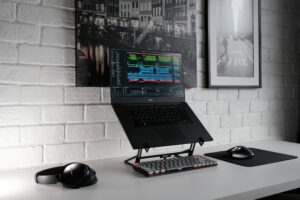
This LaptopSage guide evaluates programming laptops through processor efficiency, display, RAM, operating system, development workload, portability, software compatibility and value.
By Emmanuel Joatham
Founder & Technology Researcher, LaptopSage
Last researched: August 31, 2026
LaptopSage Research Score methodology: Specifications, independent testing, benchmark evidence, software compatibility, portability, price/value and available long-term ownership information.
Quick Answer
If you spend most of your day writing code, running development tools, browsing documentation and working away from a power outlet, battery life should be one of the most important factors when choosing a programming laptop.
The best choice depends on your development environment.
Apple Silicon MacBooks are particularly compelling for developers who value efficiency and work primarily with macOS-compatible tools. Modern Windows laptops built around efficient Intel, AMD and ARM processors can also deliver excellent endurance while offering broader hardware and software choices.
For most developers, however, battery capacity alone isn’t enough. Display resolution, processor efficiency, RAM, operating system, background applications and your development workload can all have a significant effect on how long a laptop lasts.
LaptopSage researched the leading options for 2026 and compared their specifications, independent testing results, professional reviews, software compatibility and overall value.
Our Top Picks
| Laptop | Best for | Research assessment |
|---|---|---|
| MacBook Pro | Developers who prioritize battery life and performance | Best premium option |
| Lenovo ThinkPad X9 | Mobile Windows developers | Best Windows premium option |
| MSI Prestige 16 AI Evo | Windows developers needing a large display | Best large-screen option |
| Lenovo ThinkPad E14 | Students and budget-conscious developers | Best value option |
| Lenovo Yoga 9i | Developers who also need a convertible | Best 2-in-1 option |
Important: Battery figures published by manufacturers and independent reviewers are measured under different conditions. LaptopSage therefore does not present a single battery number as a universal real-world result.
How LaptopSage Researched These Laptops
LaptopSage does not operate a dedicated hardware testing laboratory and does not claim to personally test every laptop featured on this website.
Instead, our research process combines several forms of evidence.
1. Manufacturer specifications
We examine official information about:
- processor
- graphics
- RAM
- storage
- battery capacity
- display
- weight
- ports
- wireless connectivity
- operating system
- upgradeability
2. Independent testing
Where available, we compare battery-life measurements and performance results published by independent technology publications and reviewers.
Because testing methods differ, we look for recurring patterns across multiple sources rather than treating one result as definitive.
3. Benchmark evidence
Processor and graphics benchmarks help us understand relative performance.
However, benchmark performance is only one part of the decision. A faster processor isn’t automatically the better choice for someone who prioritizes battery life, portability or value.
4. Professional reviews
We compare hands-on reviews from established technology publications to identify recurring observations about:
- keyboard quality
- display quality
- thermals
- fan behavior
- build quality
- battery performance
- software compatibility
- everyday usability
5. Price and value
Laptop prices change frequently. We therefore evaluate a laptop in the context of its current configuration and competing products rather than assuming that the most expensive model is the best.
6. LaptopSage analysis
Finally, we interpret the evidence for specific types of developers.
That’s the part that makes a LaptopSage recommendation different from a manufacturer specification sheet.
What Makes a Good Programming Laptop for Battery Life?
A laptop with a large battery isn’t necessarily a laptop with excellent battery life.
Several factors work together.
Processor efficiency
The processor is one of the most important components affecting power consumption.
Modern laptop processors can dynamically adjust their power consumption depending on what you’re doing.
Reading documentation and editing code may require relatively little power.
Compiling a large project, running virtual machines or processing data can demand substantially more.
This is why manufacturer claims such as “up to 20 hours” shouldn’t be interpreted as 20 hours of intensive programming.
RAM
Programming workloads can become memory-intensive surprisingly quickly.
A typical developer may have:
- an IDE
- several browser tabs
- a local database
- Docker containers
- Slack or Teams
- Git tools
- terminals
- documentation
- development servers
running simultaneously.
For many developers, 16GB is a reasonable starting point, while 32GB is preferable for heavier workloads, particularly when using containers, virtual machines, large projects or memory-intensive development tools.
If you’re buying a laptop that cannot be upgraded later, choosing sufficient RAM at purchase becomes more important.
Display
The display can have a surprisingly large effect on battery life.
A high-resolution OLED panel can look spectacular, but it can also consume more power depending on brightness, refresh rate and the type of content displayed.
For programming, a good display should provide:
- enough vertical space for code
- comfortable text rendering
- adequate brightness
- good viewing angles
- sensible scaling
- comfortable refresh behavior
A 16-inch 16:10 display can be particularly useful if you regularly work with an IDE and browser side-by-side.
But if maximum portability is your priority, a 13- or 14-inch laptop may make more sense.
Five laptops worth considering for long coding sessions
Each recommendation below is presented as a research card so you can compare the intended use case, evidence, strengths, trade-offs and buying action without losing the detail behind the recommendation.
MacBook Pro
Best for: Best Premium Choice for Developers
The MacBook Pro remains one of the strongest options for developers who prioritize a combination of performance, battery efficiency, display quality and build quality.
Why we recommend it
Apple’s custom silicon has demonstrated strong performance-per-watt characteristics, making MacBooks particularly attractive for developers who spend long periods working away from an outlet.
The biggest consideration isn’t simply battery life.
It’s whether macOS fits your development workflow.
For developers working with:
- Swift
- Xcode
- iOS development
- web development
- Python
- JavaScript
- TypeScript
- Ruby
- Go
- many cross-platform development tools
the platform can be an excellent fit.
Strengths
- Excellent performance-per-watt
- High-quality display
- Strong keyboard and trackpad
- Long battery endurance in many independent tests
- Excellent build quality
- Strong support for professional development software
Potential drawbacks
- Premium pricing
- macOS isn’t suitable for every Windows-specific workflow
- Limited hardware upgradeability
- Some enterprise and legacy applications require Windows
- Gaming compatibility is more limited than Windows
Best for
Developers who want a premium laptop and whose software stack works well with macOS.
LaptopSage assessment
Research confidence: High
There is substantial independent information available for MacBook performance, battery behavior and long-term ownership.
Lenovo ThinkPad X9
Best for: Best Premium Windows Option
For developers who prefer Windows but still want a premium, portable machine, Lenovo’s ThinkPad X9 family deserves consideration.
ThinkPads are particularly attractive to people who prioritize:
- keyboard quality
- business-oriented features
- portability
- Windows compatibility
- long working sessions
- professional build quality
Why developers may prefer it
Windows remains important for developers working with Microsoft technologies, Windows-specific enterprise applications and software that doesn’t behave as well on macOS.
A premium Windows laptop can therefore be a better choice than a MacBook even when the MacBook offers stronger battery efficiency.
The right laptop isn’t the one with the highest benchmark score.
It’s the one that works with your development environment.
Strengths
- Windows compatibility
- Strong keyboard reputation
- Business-oriented design
- Good portability
- Broad selection of development software
- Professional appearance
Potential drawbacks
- Premium configurations can become expensive
- Some configurations have soldered memory
- Display options vary by configuration
- Battery performance depends heavily on the selected processor and display
Best for
Windows developers, consultants, business users and developers who travel frequently.
LaptopSage assessment
Research confidence: High to Moderate, depending on the exact configuration being considered.
MSI Prestige 16 AI Evo
Best for: Best Large-Screen Windows Option
The MSI Prestige series is worth considering if you want a larger display without moving into a traditional gaming-laptop design.
A large screen can be particularly useful for developers because it provides more room for:
- code
- browser documentation
- terminal windows
- database tools
- design previews
- debugging panels
Why we recommend it
The combination of a large display, modern processor options and a productivity-oriented design makes the Prestige an interesting alternative to heavier performance laptops.
Strengths
- Large display
- Strong productivity performance
- Good selection of ports on many configurations
- Suitable for multitasking
- More portable than many gaming laptops with similar screen sizes
Potential drawbacks
- High-resolution display configurations can affect battery consumption
- Fan noise may increase under sustained workloads
- Larger chassis isn’t ideal for everyone
- Configuration and pricing vary significantly
Best for
Developers who regularly split their screen between an IDE, browser and other development tools.
LaptopSage assessment
Research confidence: Moderate
The exact configuration matters considerably, so verify the processor, display and battery specifications before buying.
Lenovo ThinkPad E14
Best for: Best Value for Students and New Developers
You don’t need a premium workstation to learn programming.
For students, bootcamp participants and developers working on conventional web or software projects, a well-configured mid-range laptop can provide more than enough performance.
The ThinkPad E14 family is particularly interesting because it combines business-oriented design with a more accessible price.
What to look for
For a programming configuration, I’d prioritize:
16GB RAM
512GB SSD
Modern Core or Ryzen processor
A comfortable 14-inch display
If your budget allows, 32GB RAM can be worthwhile for heavier development workloads.
Strengths
- More accessible pricing
- Comfortable keyboard
- Business-oriented design
- Practical connectivity
- Suitable for many programming workloads
- Some configurations provide upgrade options
Potential drawbacks
- Display quality varies
- Less premium construction than flagship ThinkPads
- Battery life isn’t necessarily class-leading
- Entry-level configurations can be underpowered
Best for
Students, new developers, freelancers and budget-conscious buyers.
LaptopSage assessment
Research confidence: Moderate to High, depending on the configuration.
Lenovo Yoga 9i
Best for: Best Convertible for Developers
A convertible laptop isn’t necessary for programming.
But it can be useful if your work combines coding with:
- note-taking
- presentations
- drawing
- reading
- UI/UX work
- PDF annotation
- client demonstrations
The Yoga 9i is therefore less about maximizing programming performance and more about combining several types of work in one device.
Strengths
- Convertible design
- Touchscreen
- Premium construction
- Useful for presentations and note-taking
- Suitable for developers with creative workflows
Potential drawbacks
- Convertible hardware adds complexity
- High-resolution touch displays can affect battery life
- Not necessarily the best value for programming alone
- Some developers will prefer a conventional laptop
Best for
Developers who combine programming with design, presentations or creative work.
Programming Laptop Battery Life: What Should You Actually Expect?
This is where buyers should be careful.
A manufacturer might advertise:
“Up to 20 hours.”
That does not mean:
20 hours of Docker + Chrome + VS Code + compilation.
Battery testing can involve very different workloads.
A video playback test might place considerably less demand on the processor than:
- compiling code
- running Docker
- running a local database
- running virtual machines
- using an external display
- maintaining dozens of browser tabs
- running AI development tools
Therefore, when comparing laptops, look for multiple independent battery tests performed under recognizable conditions.
How Much RAM Does a Programmer Need?
8GB
I generally would not recommend buying an 8GB laptop for a new programming setup unless the workload is extremely light and the device is inexpensive enough to justify the compromise.
16GB
For many developers, 16GB remains the practical baseline.
It is suitable for:
- VS Code
- web development
- Python
- JavaScript
- TypeScript
- Git
- browser-heavy workflows
- moderate development environments
32GB
32GB becomes more attractive when you regularly use:
- Docker
- virtual machines
- large IDEs
- Android Studio
- large codebases
- local databases
- multiple development environments
- data science tools
64GB+
Most developers don’t need 64GB.
It becomes relevant for specialized workloads such as:
- large virtual machines
- professional data science
- local AI workloads
- very large datasets
- demanding professional development environments
ARM vs x86 for Programming
The processor architecture deserves consideration.
Apple Silicon
Excellent choice if:
- you work comfortably in macOS
- your development tools support Apple Silicon
- you value efficiency
- you develop for Apple platforms
Windows ARM
Windows on ARM has become increasingly interesting as processor efficiency improves.
However, compatibility should be checked carefully if your development environment depends on:
- older applications
- specialized drivers
- legacy development tools
- x86-specific software
Intel and AMD
Modern x86 processors remain excellent choices when compatibility is more important than maximizing efficiency.
For many Windows developers, the broader software compatibility can outweigh differences in battery performance.
What About Gaming Laptops?
If battery life is one of your top priorities, a gaming laptop usually isn’t the first category I’d investigate.
Gaming laptops are designed around high sustained performance.
That often means:
- powerful processors
- discrete GPUs
- high-refresh displays
- larger cooling systems
Those components can consume substantial power.
A gaming laptop can still be an excellent programming machine if you also need GPU performance for:
- game development
- 3D work
- CUDA workloads
- video editing
- machine learning
But if your main requirement is:
coding + long battery life + portability
a thin-and-light productivity laptop is generally the more logical starting point.
How to Maximize Battery Life While Programming
Even a good laptop can lose hours of battery life through inefficient settings.
Reduce display brightness
The display is one of the largest power consumers in many laptops.
Use the lowest comfortable brightness.
Reduce refresh rate when appropriate
If your laptop has a 120Hz or higher display, switching to a lower refresh rate can help reduce power consumption.
Close unnecessary applications
Background applications can keep the CPU active.
Pay particular attention to:
- browsers
- synchronization services
- unused development servers
- virtual machines
- containers
- cloud applications
Be careful with Docker
Docker is extremely useful for development, but running multiple containers continuously can increase CPU and memory activity.
Only keep the services you need running when working on battery.
Watch browser tabs
A large number of active tabs can consume significant memory and CPU resources.
Use power-saving modes
Modern operating systems provide power-management modes that can reduce background activity and processor performance when maximum performance isn’t required.
Our Programming Laptop Buying Checklist
Before purchasing, ask yourself:
1. What operating system do I need?
Windows?
macOS?
Linux?
2. How much RAM do I need?
16GB: Most general development
32GB: Heavy development and multitasking
64GB+: Specialized workloads
3. Do I need a dedicated GPU?
If you’re doing ordinary web/software development, probably not.
If you’re doing:
- game development
- 3D
- CUDA
- AI/ML
- video editing
then GPU performance becomes much more important.
4. How portable does it need to be?
If you’re carrying the laptop every day, weight matters.
5. Does the RAM upgrade?
This is particularly important on laptops with soldered memory.
6. What ports do you need?
Consider:
- USB-C
- Thunderbolt
- USB-A
- HDMI
- SD card
- Ethernet
7. How good is the display?
For coding, prioritize:
- sharp text
- comfortable brightness
- good viewing angles
- useful aspect ratio
rather than simply chasing the highest resolution.
Our Overall Recommendations
🏆 Best Premium Programming Laptop
MacBook Pro
Best suited to developers who work comfortably in macOS and prioritize performance, efficiency and long unplugged sessions.
🪟 Best Premium Windows Choice
Lenovo ThinkPad X9
A strong option for developers who want Windows compatibility, portability and a business-focused design.
🖥️ Best Large-Screen Option
MSI Prestige 16 AI Evo
Worth considering if your workflow benefits from a large display and substantial multitasking space.
💰 Best Value
Lenovo ThinkPad E14
A sensible starting point for students and developers who don’t need a premium machine.
🔄 Best Convertible
Lenovo Yoga 9i
A good fit when programming is only one part of your workflow.
Final Verdict
The best programming laptop for battery life isn’t necessarily the laptop with the largest advertised battery capacity or the highest manufacturer battery estimate.
What matters is the combination of:
processor efficiency + display + operating system + RAM + workload + battery capacity + software configuration.
For developers who prioritize efficiency and are comfortable with macOS, Apple’s MacBook Pro family remains one of the strongest choices to investigate.
For Windows developers, premium ThinkPads and efficient modern Windows laptops offer a compelling combination of compatibility, portability and endurance.
For students and new developers, spending more isn’t always necessary. A well-configured mid-range laptop with 16GB of RAM and a fast SSD can provide a very capable development environment.
Most importantly, don’t buy a laptop based solely on an “up to X hours” battery claim.
Look for independent testing, understand the conditions under which the number was measured, and then compare that evidence with your own workload.
That’s the approach we use at LaptopSage.
Research. Compare. Choose better.
LaptopSage Research Note
LaptopSage is an independent technology research publication. We do not currently operate a dedicated hardware testing laboratory and do not claim to personally test every product we recommend.
Our research combines manufacturer documentation, independent testing, benchmark results, professional reviews, user experience reports, current pricing and comparative analysis.
When LaptopSage personally tests a product, we identify it clearly as a hands-on review or LaptopSage-tested product.
Battery measurements reported by other publications are attributed to their respective testing sources and should not be interpreted as measurements performed by LaptopSage.
Research confidence for this guide: High
Last researched: August 31, 2026

I’m Emmanuel Joatham, a remote work product researcher with 6+ years of experience testing laptops and accessories from my home office.