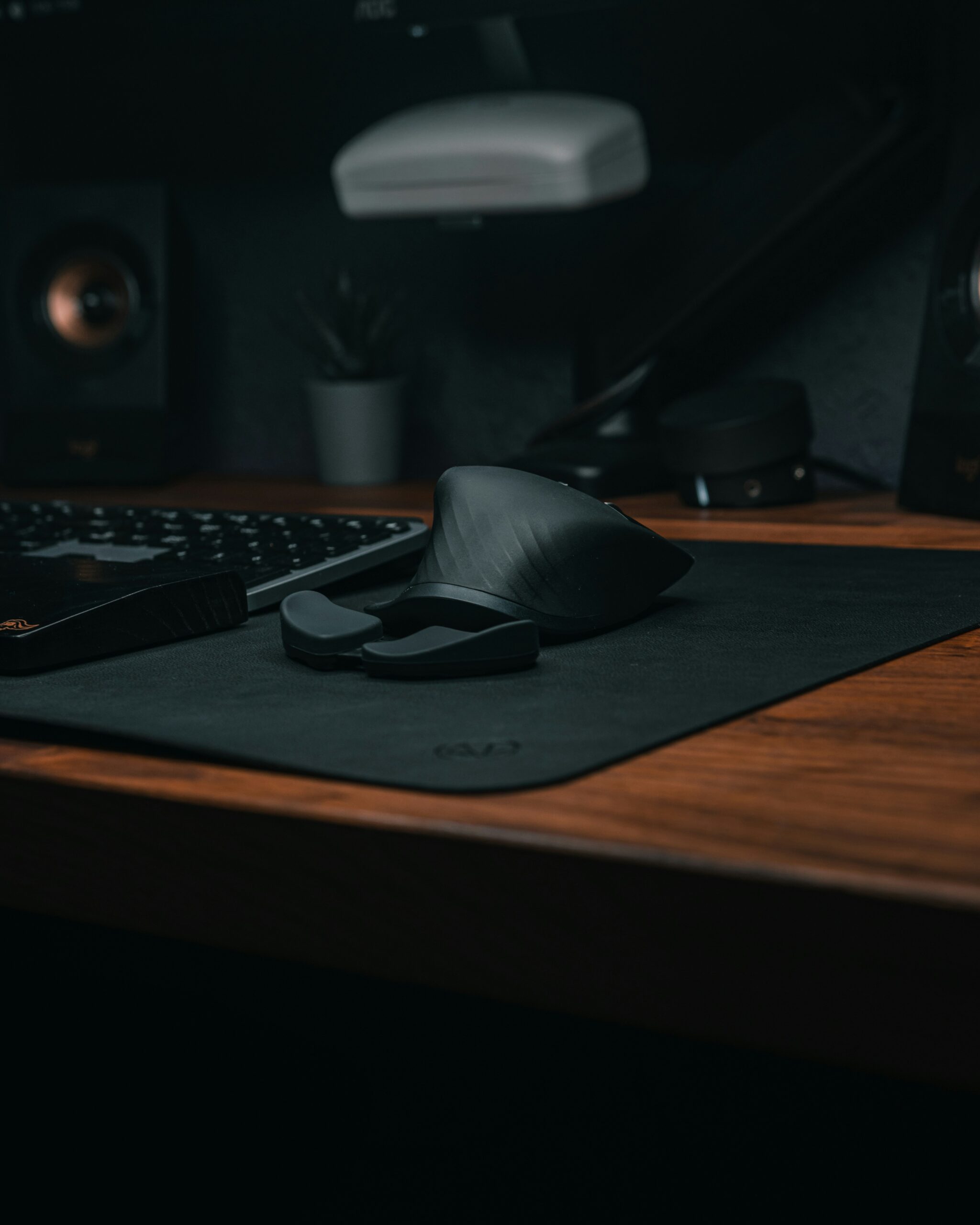
For many of us, the computer mouse is an extension of our hand.
We grip it for hours on end, scrolling through documents, editing photos, and navigating the vast digital landscape.
But this constant, repetitive motion often comes at a cost.
If you’ve ever felt a familiar ache in your wrist, a twinge in your forearm, or the dreaded numbness in your fingers after a long day at the computer, you know exactly what I mean.
This is where the LEKVEY Ergonomic Vertical Wireless Mouse enters the picture.
In a market dominated by traditional horizontal mice, the LEKVEY offers a radically different approach.
It promises not just functionality, but a path to a healthier, more comfortable computing experience.
The question is, does it live up to the hype, and is it the best choice for you?
Let’s dive into this comprehensive review.
Table of Contents
-
What is a Vertical Mouse and Why Does It Matter?
-
Getting to Know the LEKVEY Vertical Wireless Mouse
-
The “Handshake” Design: Comfort First
-
Connectivity and Setup: A True Plug-and-Play Experience
-
3 Adjustable DPI Levels: Precision for Any Task
-
6 Buttons for Enhanced Productivity
-
The Rechargeable Battery: Convenience vs. Longevity
-
Widely Compatible, With a Catch
-
-
Why the LEKVEY Mouse Stands Out
-
The Value Proposition
-
Customer Service That Makes a Difference
-
The Silent Click Advantage
-
-
The Meaning of the LEKVEY Ergonomic Mouse
-
Frequently Asked Questions (FAQ)
-
The Verdict: A Balanced Perspective
-
The Pros
-
The Cons
-
Final Thoughts
-
What is a Vertical Mouse and Why Does It Matter?
Before we dissect the LEKVEY specifically…
It’s crucial to understand the “vertical” difference.
Think about how your arm rests naturally by your side.
Your thumb points forward, and your palm faces inward, a position reminiscent of a handshake.
A traditional mouse forces you to rotate your forearm, turning your palm down to the desk.
This “pronated” position twists the bones in your forearm.
It places constant pressure on your wrist, a primary contributor to conditions like carpal tunnel syndrome and repetitive strain injuries (RSIs).
A vertical mouse like the LEKVEY is designed to eliminate this unnatural twist.
By orienting your hand in that neutral, handshake-like position, it allows your wrist, arm, and shoulder to rest in a more bio-mechanically sound alignment.
This simple but profound design shift minimizes muscle strain.
It reduces the risk of long-term injury, making it a game-changer for anyone who spends significant time at a computer.
Users have reported that making this switch can “reduce pain and discomfort” almost instantly.
This is the fundamental reason why an ergonomic mouse is more than just a gadget.
It’s an investment in your long-term health and productivity.
Getting to Know the LEKVEY Vertical Wireless Mouse
 The LEKVEY Vertical Wireless Mouse is designed to bring the benefits of ergonomic computing to a wide audience.
It does this at an accessible price point.
LEKVEY has focused on delivering a feature-rich product that doesn’t overcomplicate the user experience.
It’s a “plug and play” solution. The goal is to make the transition from a traditional mouse as seamless as possible.
Let’s break down its key features and see how they stack up.
The “Handshake” Design: Comfort First
The most defining characteristic of the LEKVEY mouse is its shape.
It encourages a handshake grip that, for many, can dramatically reduce pain.
As one user noted, the design “made my RSI much better for a long while.”
The mouse is sculpted with a thumb rest and a contoured body that fits the natural curve of your palm.
The thought is that by adopting this posture, you are aligning your entire arm.
You are reducing the torsion on your wrist.
Many long-time users swear by it, stating that once you make the switch, it’s hard to go back.
One reviewer even said, “this is second mouse like this kind, my son took mine, once use it can’t change it back, feel comfortable, not sore after long use.”
This speaks volumes about the addictive comfort of a well-designed ergonomic device.
👉 Buy LEKVEY Vertical Mouse on Amazon 👈
Connectivity and Setup: A True Plug-and-Play Experience
One of the most frustrating aspects of setting up new peripherals can be the driver installation.
The LEKVEY mouse offers a refreshingly simple alternative.
It connects via a tiny 2.4G USB receiver.
This receiver is conveniently stored in a compartment at the bottom of the mouse.
You simply pull out the receiver, plug it into your computer’s USB port, and you’re ready to go.
There is no need for drivers.
No software to download.
No complicated pairing process.
This makes it an incredibly versatile option for anyone, from the tech-savvy to the tech-averse.
It’s worth noting, however, that the receiver uses the older USB-A standard.
This may require an adapter for newer laptops that feature only USB-C ports.
3 Adjustable DPI Levels: Precision for Any Task
The LEKVEY Vertical Wireless Mouse features a DPI (Dots Per Inch) button.
This lets you cycle between three sensitivity levels: 800, 1200, and 1600.
This is a crucial feature for adapting to different tasks.
A lower DPI (800) provides slower, more precise cursor movement.
This makes it ideal for detailed work like photo editing or graphic design.
A higher DPI (1600) increases the cursor speed.
This is better for navigating large screens or for a more responsive feel during gaming.
This level of control allows you to tailor the mouse’s performance to your specific needs.
It enhances both accuracy and efficiency.
6 Buttons for Enhanced Productivity
Beyond the standard left and right buttons, the LEKVEY vertical mouse is equipped with four additional buttons.
This includes a scroll wheel, a DPI adjustment button, and, perhaps most usefully, ‘Page Back’ and ‘Page Forward’ buttons.
These side buttons are located where your thumb rests. They are a godsend for web browsing and navigating folders.
You can move back and forth with a simple thumb press. This convenience saves time and effort.
It reduces the need to precisely click on tiny on-screen arrows.
The Rechargeable Battery: Convenience vs. Longevity
A major selling point of this model is its built-in rechargeable battery.
With the LEKVEY, you can say goodbye to the constant expense and waste of disposable batteries.
The mouse comes with a USB charging cable. You can use it while it is charging.
This means you don’t have to stop working when the battery runs low.
LEKVEY claims the mouse can provide up to 150 hours of usage on a full charge.
The company also touts an intelligent auto-sleep mode to conserve battery life. You can click any button to wake it up.
Widely Compatible, With a Catch
The LEKVEY ergonomic mouse is designed to work with a wide range of operating systems.
It is fully compatible with Windows (from 2000 to 10 and 11), Linux, and Android.
However, there is a very important caveat: it has limited compatibility with Mac OS.
While the mouse will function for basic clicking and scrolling, the side ‘Page Back’ and ‘Page Forward’ buttons are not supported on Apple products.
If you are a Mac user, you will be missing out on one of the key productivity features.
This is a significant drawback to consider.
👉 Get Your LEKVEY Mouse Today 👈
Why the LEKVEY Mouse Stands Out
While there are many vertical mice on the market, the LEKVEY has carved out a niche. It combines several key attributes that make it a compelling choice.
But is it truly the “best”? It’s a matter of perspective. But for many, it strikes a perfect balance.
The Value Proposition
One of the strongest arguments for the LEKVEY mouse is its price point. When compared to big-name competitors like the Logitech Lift or the Keychron M5, the LEKVEY is significantly more affordable.
It aims to bring ergonomic benefits to a broader audience. These are people who might be hesitant to spend a premium on a new mouse.
As one reviewer aptly put it, “It’s just a highly functional mouse that focused on the basics and did them well to reach this price point.”
For those looking to test the waters of ergonomic computing without a major financial commitment, this is a fantastic entry point.
Customer Service That Makes a Difference
Perhaps one of the most unexpected and widely praised aspects of the LEKVEY experience is the company’s customer service.
Numerous reviews highlight the exceptional support provided by a representative named Susan and the team.
Customers report receiving proactive emails to ensure satisfaction. They are met with quick, polite, and genuinely caring responses when issues arise.
One user shared a detailed account of having their faulty scroll wheel replaced under warranty. The process happened with remarkable speed and a personalized thank-you note.
This level of service is rare and builds a sense of trust. It shows that LEKVEY stands behind its product.
The Silent Click Advantage
A subtle but appreciated feature is the design of the buttons. The left and right buttons are designed for quiet clicks.
This ensures that your work won’t disturb others in a quiet office or library. This “soundless” feature, combined with the smooth button action, makes for a pleasant and non-disruptive user experience.
👉 Order LEKVEY Ergonomic Mouse 👈
The Meaning of the LEKVEY Ergonomic Mouse
In a world where many of us are tethered to our devices, the LEKVEY vertical mouse is more than just a piece of hardware. It represents a philosophy of “workplace wellness.”
Its very existence is a tacit admission that our traditional tools are flawed. They can be detrimental to our health.
By adopting a product like the LEKVEY, you are proactively choosing to protect your body. You are guarding against the silent, cumulative damage of repetitive strain.
It’s a statement that your comfort and long-term health are just as important as your productivity. The vertical mouse symbolizes a shift towards a more human centrist approach to technology.
The tool is designed to fit the user, not the other way around. It empowers users to take control of their physical well-being, one click at a time.
Frequently Asked Questions (FAQ)
Q: Is the LEKVEY vertical mouse compatible with my MacBook?
A: The basic click and scroll functions will work on Mac OS. However, the side ‘Page Back’ and ‘Page Forward’ buttons are not compatible. The LEKVEY product pages explicitly state that these shortcut buttons are not available for Mac OS and Apple products.
Q: Does it use Bluetooth?
A: No, the LEKVEY Vertical Wireless Mouse does not support Bluetooth. It connects via a 2.4G USB receiver that is included and stored in the mouse itself.
Q: How do I know when the battery is low?
A: There is no battery percentage indicator or LED light to show the remaining charge. The mouse will simply stop working when the battery is depleted. Users recommend remembering to turn it off at night to conserve battery life. You can use it while it is charging.
Q: How long does the battery last on a single charge?
A: The manufacturer claims it can provide up to 150 hours of usage. However, many users report that with moderate to heavy daily use, it will need charging roughly once a week.
Q: Is this mouse good for gaming?
A: While some users do use it for casual gaming, it is not specifically designed as a gaming mouse. Some have noted that the DPI settings are relatively low for modern gaming standards. The lack of a DPI indicator is also a drawback. The mouse is best suited for office work, browsing, and general productivity.
Q: Is it comfortable for large hands?
A: The LEKVEY mouse is on the lighter and more compact side. Users with large hands may find it a bit small. One reviewer noted, “I have long fingers and this mouse is just a bit too small for me.” Its weight and size have been a point of contention for some, with others stating it feels “cheaply constructed.”
Q: Is the LEKVEY mouse durable?
A: This is where the LEKVEY mouse faces its biggest criticism. A significant number of users have reported that the mouse fails within a few months.
The scroll wheel or the left-click button being common points of failure. While some have used the same mouse for years, there is a notable reliability concern.
However, the company’s responsive customer service and warranty are often cited as a saving grace.
Q: Does it have a DPI indicator?
A: No, there is no visual indicator for the current DPI setting. You must click the DPI button and guess which setting you are on based on the speed of the cursor.
Q: Can I use the mouse while it is charging?
A: Yes, you can continue to use the LEKVEY vertical mouse while it’s plugged in and charging.
Q: What is the warranty on this mouse?
A: The LEKVEY ergonomic mouse comes with a 6-month quality guarantee and lifetime technical support. The company is known to be helpful with replacements or refunds for faulty units during this period.
👉 Check Latest Price on Amazon 👈
The Verdict: A Balanced Perspective
It’s clear that the LEKVEY Vertical Wireless Mouse is a product of extreme highs and notable lows. To truly understand if it’s “the best,” we need to weigh these factors.
The Pros
-
Exceptional Value: It offers a feature-rich vertical mouse at a very budget-friendly price.
-
Ergonomic Relief: The “handshake” design is proven to alleviate wrist pain and reduce strain for many users.
-
Plug-and-Play Setup: The 2.4G USB receiver makes it incredibly easy to use on Windows and Linux computers.
-
Silent Clicks: The quiet buttons are a small but significant detail for shared workspaces.
-
Outstanding Customer Service: LEKVEY’s support team is praised for being responsive, helpful, and proactive.
-
Rechargeable Convenience: No more buying disposable batteries.
The Cons
-
Questionable Build Quality: The most significant drawback is the number of reports about the mouse failing, often within 3-6 months. Common issues include a malfunctioning scroll wheel and buttons.
-
Non-USB-C Receiver: The older USB-A standard can be an inconvenience for modern devices.
-
No Battery Indicator: The mouse dies without warning, which can be disruptive.
-
Limited Mac Compatibility: The side buttons do not work on Mac OS.
-
Lack of DPI Indicator: You have to guess your DPI setting after clicking the button.
-
Lightweight Feel: Some users feel the mouse is too light and “cheaply constructed,” which can lead to it tipping over.
Final Thoughts
So, is the LEKVEY Vertical Wireless Mouse the best ergonomic mouse on the market?
In terms of absolute, premium quality and long-term durability, it is not. Mice from brands like Logitech or Keychron often boast better materials, more precise sensors, and a reputation for reliability.
However, in terms of being the best for a specific type of user, the LEKVEY is a top contender.
The LEKVEY is the best for a user who is budget-conscious but deeply concerned about wrist health. It’s for someone who wants to try a vertical mouse.
It’s for the user who is aware that an ergonomic design can be a game-changer.
It’s for the user who is willing to accept a few compromises for an attractive price.
It’s for the user who values the peace of mind that comes from a company with exceptional customer support.
They know that if an issue arises, they won’t be left in the lurch.
However, it is not for the user seeking a high-end, premium device that will last for years without issue. The reliability concerns are real and well-documented in customer reviews.
You are trading long-term durability for short-term affordability and comfort.
For many, that is a fair trade, especially when they can get a replacement under warranty.
In conclusion, the LEKVEY vertical mouse is a hero for the many, not the few. It has democratized ergonomic computing, making it accessible to a vast audience.
Its “handshake” design and impressive feature set for the price have helped countless users find relief from chronic pain.
While its build quality and longevity might fall short of premium peers, its value proposition and excellent customer service make it an incredibly compelling product.
Just be sure to treat it with care, turn it off at night, and be aware of its limitations.
For its intended purpose, it is a fantastic, life-changing tool. It proves you don’t need to spend a fortune to prioritize your health.
👉 Buy LEKVEY Vertical Mouse Now 👈
Ready to Upgrade?
I recommend this product based on my personal testing. Check the latest price on Amazon below.
Disclosure: This post contains affiliate links. If you click through and make a purchase, I may earn a small commission at no extra cost to you. I only recommend products I have researched and believe will add value to my readers.

I’m Emmanuel Joatham, a remote work product researcher with 6+ years of experience testing laptops and accessories from my home office.