

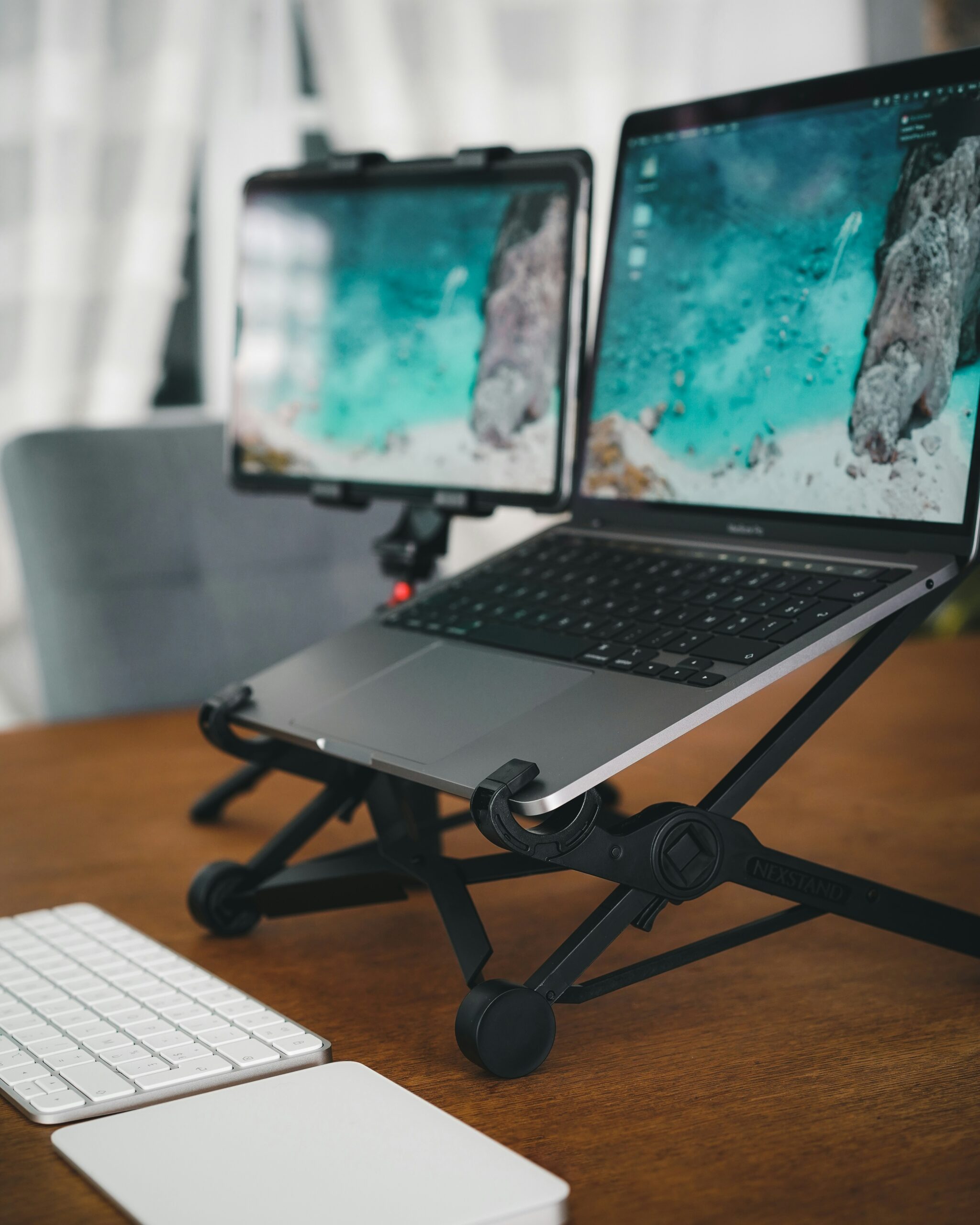
Quick Answer
Yes, laptop cooling pads can work — but not every laptop benefits from one.
A cooling pad works by improving airflow around the underside of a laptop. Depending on the laptop’s intake design, workload and cooling system, that additional airflow can reduce temperatures and sometimes improve sustained performance.
But the results can vary dramatically. Independent testing has found cooling pads capable of reducing CPU temperatures by around 12°C on some gaming laptops, while other tests have found certain cooling pads producing only minimal improvements.
That is why LaptopSage does not recommend buying a cooling pad simply because a manufacturer claims a certain airflow rating or noise level.
The better question is: does your particular laptop have a cooling problem that a cooling pad can actually solve?
For gaming laptops and machines under sustained heavy workloads, the answer can be yes. For a thin office laptop performing light tasks, a cooling pad may provide little meaningful benefit.
Our Shortlist
Rather than claiming that one cooling pad is universally “the best,” we’ve grouped the options by the type of user they suit.
| Cooling pad | Best for | What stands out |
|---|---|---|
| Razer Laptop Cooling Pad | Compatible gaming laptops | Advanced airflow design and active cooling |
| HAVIT F2075 | Affordable general-purpose cooling | Dual fans and simple design |
| Targus Dual Fan Chill Mat | Basic cooling and elevation | Simple, established design |
| Klim cooling pads | Different laptop sizes | Several designs and configurations |
| Llano cooling pads | High-performance gaming laptops | High-airflow designs |
| V10-style high-airflow coolers | Heavy gaming workloads | Aggressive active cooling |
| Fanless laptop stand/pad | Office users | Silent airflow improvement |
Important: Product availability and exact specifications vary by market and model. Verify the current configuration before purchasing.
What Does a Laptop Cooling Pad Actually Do?
A conventional cooling pad places fans underneath the laptop. Those fans push air toward the laptop’s underside. If your laptop has intake vents in an appropriate position, that additional airflow can help its internal cooling system move heat away from the processor and graphics hardware.
But there is an important limitation: the cooling pad cannot magically cool a laptop if the laptop cannot use the airflow.
Some modern thin laptops have intake openings positioned differently from traditional gaming laptops. If the cooling pad’s fans aren’t aligned with useful intake vents, the benefit can be small. That is one of the biggest reasons cooling-pad results vary between laptops.
Do Cooling Pads Lower Laptop Temperatures?
Evidence says they can.
Notebookcheck tested a Havit cooling pad with a gaming laptop under a sustained Witcher 3 workload. In that particular test, the cooling pad reduced average CPU temperature from 92°C to 80°C and GPU temperature from 76°C to 70°C. However, fan noise increased from 53.9 dB(A) to 59.2 dB(A).
Why Results Vary So Much
Several variables determine whether a cooling pad will help.
1. Laptop intake vents
This is probably the most important factor. Look underneath your laptop. If you see large ventilation grilles positioned where the cooling pad’s fans can direct air toward them, an active cooling pad has a better chance of helping. If the intake vents are small, partially blocked or located somewhere the cooling pad cannot effectively reach, the improvement may be limited.
2. Laptop cooling design
A gaming laptop designed for high-power CPUs and discrete GPUs has a very different cooling system from a thin ultrabook. Gaming machines often have larger fans, heat pipes, vapor chambers on some models, substantial exhaust openings and large intake areas. A thin office laptop may have much less thermal headroom.
3. Workload
Cooling pads are most useful when the laptop is actually producing substantial heat.
- Gaming
- 3D rendering
- Video encoding
- Compiling large projects
- Sustained CPU workloads
- GPU workloads
- Local AI workloads
If you’re primarily writing documents, browsing websites, answering email or attending video meetings, you may see little benefit.
Cooling Pad vs Laptop Stand
This is one of the most overlooked comparisons. Sometimes your laptop doesn’t need a fan. It simply needs better airflow.
Raising the rear of the laptop can create more clearance beneath the chassis. PCWorld notes that a simple elevated stand can sometimes provide much of the airflow benefit a user is looking for without adding another powered fan.
Ask first: Do I need active cooling, or do I simply need to stop blocking the laptop’s intake?
For many office users, a good stand may be the better purchase.
When You Probably Don’t Need a Cooling Pad
You probably don’t need one if:
- Your laptop runs comfortably under normal workloads
- Temperatures aren’t causing throttling
- The laptop already has adequate airflow
- You primarily browse and work with documents
- Your laptop’s intake vents aren’t compatible with the pad
- You’re buying one solely because your laptop feels warm
A warm laptop isn’t automatically an overheating laptop. The important question is whether heat is actually affecting your workload.
When a Cooling Pad Makes Sense
A cooling pad is more worth considering when you game for long sessions, render video, compile large projects, run local AI workloads, experience thermal throttling, or work in a hot environment.
If your processor or GPU repeatedly reaches thermal limits and reduces clock speeds, additional cooling may help — provided the laptop’s intake design allows the pad to contribute useful airflow.
What About Video Calls?
A cooling pad isn’t necessarily required for Zoom, Microsoft Teams or Google Meet. A typical video call doesn’t place the same sustained load on a laptop as gaming or rendering.
However, video calls can become more demanding when combined with multiple monitors, screen sharing, background blur, virtual backgrounds, browser applications, recording and heavy multitasking.
If your laptop becomes hot or its fans become distracting during meetings, improving airflow may help. But don’t assume that a “17 dB” cooling pad will automatically make your microphone quieter. The actual acoustic result depends on fan speed, laptop fan speed, desk surface, vibration, microphone position, room acoustics and microphone noise suppression.
What Does “Quiet” Actually Mean?
Cooling-pad marketing can be misleading. A manufacturer might publish 17–26 dB(A) for a cooling pad. HAVIT, for example, lists the F2075 at 17–26 dBA with up to 56 CFM airflow and dual fans.
That is useful information, but it doesn’t mean your workstation will necessarily produce 17–26 dBA. The laptop’s own fans may be significantly louder, and the cooling pad’s measurement may have been taken under conditions that differ from your environment.
Manufacturer noise ratings should be treated as product specifications, not guaranteed room-level noise.
Why Fan Noise Matters
A cooling pad introduces another moving component into your workspace. That is a trade-off: you might get lower laptop temperature but also additional fan noise.
Notebookcheck’s testing demonstrates this trade-off: temperatures decreased while measured noise increased. For a gamer wearing headphones, that may be irrelevant. For someone recording podcasts or attending client meetings with an open microphone, it may matter considerably more.
Active vs Passive Cooling
Active cooling
Uses one or more fans.
- Greater cooling potential
- Useful for sustained workloads
- Can improve airflow substantially
- Good for gaming and rendering
Trade-offs: fan noise, power requirements, another moving component, and strong dependence on laptop ventilation.
Passive cooling
Uses elevated stands, metal surfaces, heat-conductive materials and, in some specialized designs, phase-change materials.
- Silent
- No fan noise
- No USB power required for simple stands
- Low maintenance
Passive systems have limited cooling capacity and are less suited to sustained high-power workloads. Research into phase-change materials demonstrates potential under controlled conditions, but that should not be interpreted as proof that every commercial PCM cooling pad will outperform a conventional fan cooler.
Fanless Cooling Pads: Are They Worth It?
For light workloads, a fanless stand can make sense. The main advantage is silence.
If your goal is simply raise the laptop + improve airflow + improve posture, you may not need fans at all.
If your laptop is running a high-power CPU and GPU under sustained load, passive cooling is unlikely to provide the same cooling capacity as an effective active system.
How to Tell Whether Your Laptop Needs One
- Check the underside. Look for intake vents.
- Check whether they’re obstructed. Avoid blankets, pillows and soft furniture that can restrict airflow.
- Monitor temperatures. Look at CPU temperature, GPU temperature, clock speeds, power consumption and thermal throttling.
- Establish a baseline. Run the same workload without a cooling pad.
- Compare. If you later buy a cooling pad, repeat the same workload under similar ambient conditions.
This is the only meaningful way to determine whether your laptop benefits.
A Simple LaptopSage Research Framework
| Measurement | Why it matters |
|---|---|
| CPU temperature | Indicates processor thermal behavior |
| GPU temperature | Important for gaming/GPU workloads |
| Surface temperature | Relevant to user comfort |
| Clock speed | Shows whether performance is being sustained |
| Performance score | Determines whether cooling changes output |
| Fan noise | Determines whether cooling introduces a new problem |
| Ambient temperature | Essential for fair comparison |
A proper comparison should keep the workload and environmental conditions as consistent as possible.
Cooling Pads and Performance
A cooler laptop isn’t necessarily a faster laptop. The important question is whether reducing temperature changes performance.
In some testing, cooling pads produced measurable temperature reductions but only very small performance improvements. Laptop Mag’s multi-laptop testing found temperature reductions varied considerably between machines, while average processing-performance gains were under 2%.
Other newer testing has found substantially larger gains with specific high-performance cooling systems and compatible gaming laptops.
Our Cooling Pad Recommendations
The research does not support a single cooling pad as the best choice for every laptop. The options below are organized around different use cases. Affiliate links are clearly marked so you can check current pricing without confusing a commercial link with the research conclusion.
Best for Compatible Gaming Laptops: Razer Laptop Cooling Pad
Razer’s newer cooling system is interesting because it is designed to direct airflow more effectively into compatible laptop cooling systems. Independent testing by WIRED found a substantial improvement on a compatible Razer Blade 16 when the cooling system was active.
Best for: Gaming laptops with compatible ventilation designs.
Important caveat: This is not a universal recommendation. Compatibility and vent design matter enormously.
See the current price and confirm compatibility with your laptop before buying.
Best Budget Option to Consider: HAVIT F2075
The HAVIT F2075 is a simpler, conventional cooling pad. The manufacturer lists dual fans, up to 56 CFM airflow, 17–26 dBA noise, two USB ports and compatibility with laptops up to 15.6 inches.
Best for: Users looking for an inexpensive active cooling pad to experiment with.
Important caveat: These are manufacturer specifications, not independent LaptopSage measurements. Don’t purchase it expecting a guaranteed temperature reduction.
Compare the current price and configuration before buying.
Targus Dual Fan Chill Mat
A conventional dual-fan approach for readers who want active cooling with a straightforward desk setup. Consider it alongside your laptop’s vent placement, size and noise requirements.
View the current price and product details.
KLIM Cooling Pads
KLIM offers several cooling-pad designs, making this a useful option to compare when laptop size, airflow configuration and budget vary.
Check current models, pricing and compatibility.
Llano Cooling Pads
Llano’s high-airflow designs are worth considering for demanding workloads where conventional pads may not move enough air. As always, effectiveness depends on whether the airflow reaches your laptop’s intake system.
Compare current high-airflow options and pricing.
V10-Style High-Airflow Coolers
V10-style coolers represent the more aggressive end of active laptop cooling. They make the most sense when sustained workloads justify additional airflow and the laptop design is compatible.
See current high-airflow options and configurations.
Fanless Laptop Stand / Pad
If your priority is silence, a fanless stand or pad can be the better starting point. Elevation can improve airflow while avoiding fan noise and vibration entirely.
Compare silent stand and pad options for your setup.
Cooling Pad Buying Checklist
- Laptop size — A 14-inch laptop and a 17-inch gaming laptop may need completely different cooling solutions.
- Vent placement — More important than the number of fans.
- Fan noise — Look beyond marketing claims.
- Fan speed control — Variable speed can be useful when you need quiet operation.
- Build quality — Look for stable feet, solid hinges, secure grip, quality mesh and minimal vibration.
- Power requirements — USB-powered pads consume power from the laptop unless connected elsewhere.
- USB ports — Useful, but not a reason by itself to buy a pad.
- Angle adjustment — Can improve both airflow and ergonomics.
Cooling Pad vs Stand
| Situation | Better starting point |
|---|---|
| Office work | Laptop stand |
| Video calls | Laptop stand or quiet cooler |
| Web browsing | Laptop stand |
| Programming | Stand first; cooler if temperatures are high |
| Video editing | Active cooling may help |
| Gaming | Active cooling worth considering |
| 3D rendering | Active cooling |
| Heavy AI workloads | Active cooling |
| Laptop already runs cool | Don’t buy one |
| Laptop thermal throttles | Investigate cooling |
Final Verdict
Do laptop cooling pads work? Yes — but conditionally.
The strongest evidence suggests that cooling pads can produce meaningful improvements when the laptop has suitable intake vents, the workload is demanding, the cooling pad directs airflow effectively, and the laptop’s internal cooling system is airflow-limited.
But a cooling pad isn’t automatically useful just because your laptop feels warm. The most important factor is whether additional airflow can reach the laptop’s cooling system.
For a powerful gaming laptop under sustained load, an effective cooling pad can be worthwhile. For a thin office laptop used primarily for email, documents and web browsing, a simple stand may be a better investment.
And if you’re buying a cooling pad specifically for video calls, don’t focus exclusively on the advertised dB rating. Consider the entire acoustic environment, including the laptop’s own fans and vibration.
LaptopSage recommendation: diagnose the thermal problem first, then choose the cooling solution.
Sources & Evidence
Independent testing
- TechRadar — Llano V10 Gaming Laptop Cooling Pad Review
- WIRED — 2026 testing of cooling pads with gaming laptops
- Laptop Mag — Multi-laptop cooling-pad testing covering temperatures, performance and noise
- Notebookcheck — Cooling-pad testing using controlled gaming workloads and temperature/noise measurements
Manufacturer specifications
- HAVIT F2075 — fan count, airflow, noise rating, dimensions and laptop compatibility
Technical research
Research into phase-change materials demonstrates their potential for passive thermal management in electronic devices, including laptops, under controlled experimental conditions.
Affiliate Disclosure
LaptopSage may earn a commission when readers purchase products through qualifying links. This does not increase the price you pay and does not determine our editorial conclusions.
Our recommendations are based on product characteristics, available evidence, usability and value.
As an Amazon Associate I earn from qualifying purchases.

I’m Emmanuel Joatham, a remote work product researcher with 6+ years of experience testing laptops and accessories from my home office.



Great content! Keep up the good work!